The Case Against Page Builders
Most landing page builders solve a real problem: getting a page live without writing code. But they come with their own overhead. You need to learn the drag-and-drop interface, fight with component spacing, pick from templates that almost-but-not-quite match your vision, and then pay $30 to $200 per month for the privilege.
For a quick landing page — a product launch, an event signup, an internal tool pitch — that is too much process.
Claude takes a different approach. You describe the page you want in plain English. Claude writes the HTML, CSS, and JavaScript. You get a complete, responsive landing page in a single file. Then you type /share and it is live at a sharable.link URL within seconds.
No builder. No hosting. No monthly fee.
Building a SaaS Landing Page Step by Step
Let us walk through building a real landing page for a fictional SaaS product called "Relay" — a team communication tool. This is the exact process you would follow for any landing page.
Step 1: Write Your Prompt
Start with a detailed prompt that covers the sections and content you need:
"Build a landing page for Relay, a team communication app. Include these sections: (1) A hero section with the headline 'Communication that keeps up with your team' and a subheadline about replacing scattered Slack threads with organized channels. Add a 'Start Free Trial' button and a 'Watch Demo' button. (2) A three-column features section covering Smart Threads, Unified Search, and Async Video. (3) A social proof section with logos from 5 fictional companies and a testimonial quote. (4) A pricing section with Free, Pro ($12/user/mo), and Enterprise tiers. (5) An FAQ section with 4 questions. (6) A footer with links and a CTA. Use a modern design with a blue and white color scheme, smooth scroll navigation, and subtle animations on scroll."
This kind of prompt gives Claude enough context to produce a polished page on the first try. The key is being specific about sections, content, and design direction.
Step 2: Review the Output
Claude will generate a complete HTML file. Open it in your browser or look at the preview. Check for:
- Content accuracy — Are the headlines, feature descriptions, and pricing tiers correct?
- Visual hierarchy — Does the page flow naturally from hero to CTA?
- Responsiveness — Resize your browser window. Does it still look good on mobile?
- Micro details — Spacing, font sizes, button colors, icon choices
Step 3: Iterate
This is where Claude shines as a landing page builder. Instead of dragging components around, you just describe what you want changed:
"Make the hero section taller with a gradient background from dark blue to purple. Change the CTA button to green. Add a product screenshot mockup below the hero buttons."
"The pricing cards should highlight the Pro tier as recommended. Add a toggle for monthly vs. annual pricing with a 20% discount for annual."
"Add a 'Trusted by 500+ teams' badge above the company logos. Make the testimonial section have a carousel with three different quotes."
Each iteration takes Claude a few seconds. You can go through five or six rounds in the time it would take to adjust a single section in a traditional page builder.
Step 4: Share It
Once the page looks right, make it live:
"/share"
Claude publishes the HTML to sharable.link and gives you a URL. Send it to your team for feedback, share it with stakeholders for approval, or use it as a live prototype during a meeting.
If you are sharing a draft that should stay private, add password protection:
"Share this with a password"
The recipient enters the password and sees the full page. Clean and simple.
Beyond the First Draft: What Claude Handles Well
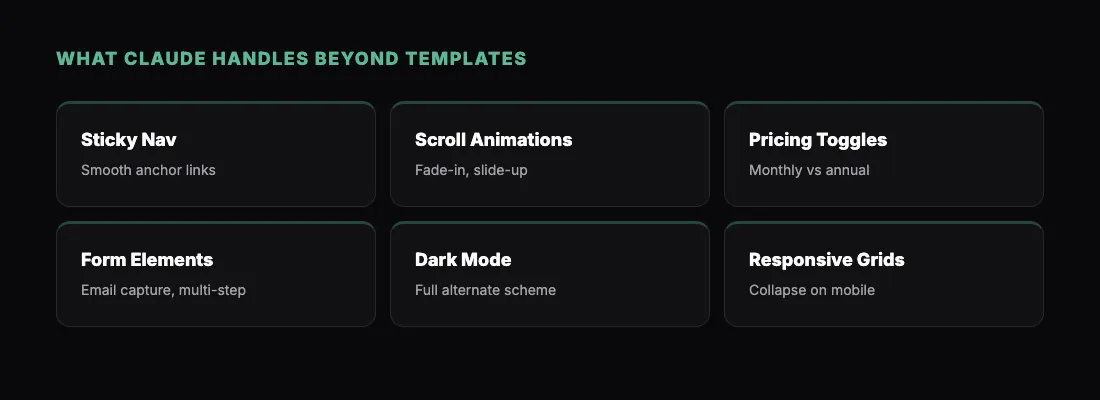
Claude is not limited to basic page templates. Here are elements it builds reliably:
Sticky navigation — A nav bar that follows the user as they scroll, with smooth anchor links to each section.
Animation on scroll — Sections that fade in or slide up as they enter the viewport. Claude uses CSS animations or lightweight JavaScript — no heavy libraries.
Interactive pricing toggles — Monthly vs. annual pricing with live price updates. Claude handles the JavaScript for switching values and highlighting savings.
Form elements — Email capture forms, contact forms, and multi-step signup flows. The forms are fully styled and functional in terms of UI. For actual form submission, you would connect a backend separately.
Dark mode — Ask Claude to add a dark mode toggle and it will build a complete alternate color scheme with a switcher button.
Responsive grid layouts — Multi-column sections that collapse gracefully on mobile. Claude uses CSS Grid or Flexbox and handles the breakpoints.
Common Landing Page Prompts
Here are a few more prompts for different types of landing pages:
Product launch:
"Build a launch announcement page for a new AI writing assistant called Draft. Hero section with 'Write better, faster' headline, a live demo section showing before/after text improvement, three benefit blocks, early access signup form, and a countdown timer to launch date May 1st."
Event registration:
"Create an event landing page for 'AI Builders Conference 2026.' Include a hero with date and location, speaker lineup with photos and bios (use placeholder images), agenda/schedule section, ticket pricing with early bird and regular tiers, a venue section with an embedded map placeholder, and a registration form."
Internal tool pitch:
"Build a one-page pitch for an internal developer tool. Hero with the problem statement, a before/after comparison section showing the old workflow vs. the new one, three key metrics showing time saved, a quick-start guide section, and a 'Request Access' CTA. Use a minimal, developer-friendly design with a monospace font for code elements."
Each of these prompts produces a complete, styled, responsive page. Try one, iterate, and /share it.
How This Fits Into Your Workflow
A Claude-built landing page is not a replacement for a production website with a CMS, analytics, and A/B testing. It is a replacement for the first two or three steps in your process.
Use it to:
- Validate ideas before committing to a full build
- Get stakeholder buy-in with something real instead of a wireframe
- Test messaging by sharing different versions with different audiences
- Prototype quickly for a pitch, demo, or internal review
- Ship something fast when you need a page live today, not next sprint
When you are ready to move to production, the HTML Claude generated is clean enough to use as a reference or starting point for your engineering team.
For more ideas on what you can build and share with Claude, check out 5 Things You Can Build with Claude and Share Instantly. If you are sharing pages with clients or external stakeholders, sharing a co-work page with a link covers that workflow in detail.
Share What You Build
- Install the sharable.link skill
- Open Claude and describe your landing page
- Iterate until it looks right
- Type
/shareto make it live - Send the link
You will have a live, responsive landing page in under ten minutes. No page builder subscription required.