When You Need a Password
Most shared pages are fine as public links. But sometimes you're sharing:
- Internal dashboards with real numbers
- Client proposals before they're approved
- Reports with confidential analysis
For these, sharable.link has built-in password protection.
How It Works
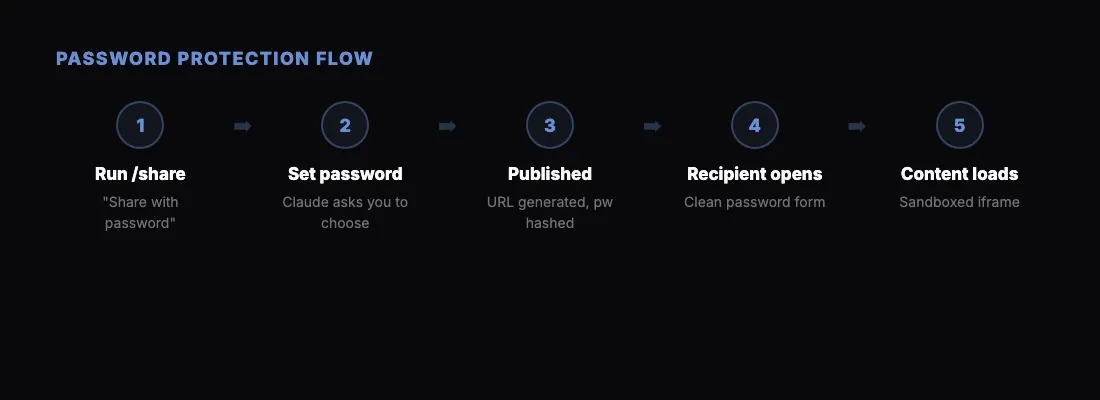
When you run /share, just tell Claude you want a password:
"Share this with password protection"
Claude will ask you what password to use. Pick something simple that you can share separately with your recipient — like a Slack message or text.
The recipient opens the link and sees a clean password form. They enter the password, and the page loads. No accounts, no sign-ups.
Try It Right Now
Here's a live example of a password-protected page:
- Link: sharable.link/ccnpr269
- Password:
12345
Open the link, enter the password, and you'll see the protected content.
Security Details
- Passwords are hashed with bcrypt before storage
- Content is served through a sandboxed iframe on a separate origin
- The raw HTML is never exposed without verification
- Each page gets its own password — no shared secrets
When to Use It
Use password protection when the content is sensitive but you still want the convenience of a shareable link. For truly confidential material, consider your organization's document management policies instead.